
Portal GST: Registration, Returns, Payments and Compliance Guide
Portal GST searches usually come from business owners, professionals and tax teams trying to register, file GSTR-1 or GSTR-3B, create a GST payment challan, check input tax credit, view electronic ledgers or solve a portal problem. This guide explains the official workflow in practical Indian business terms.
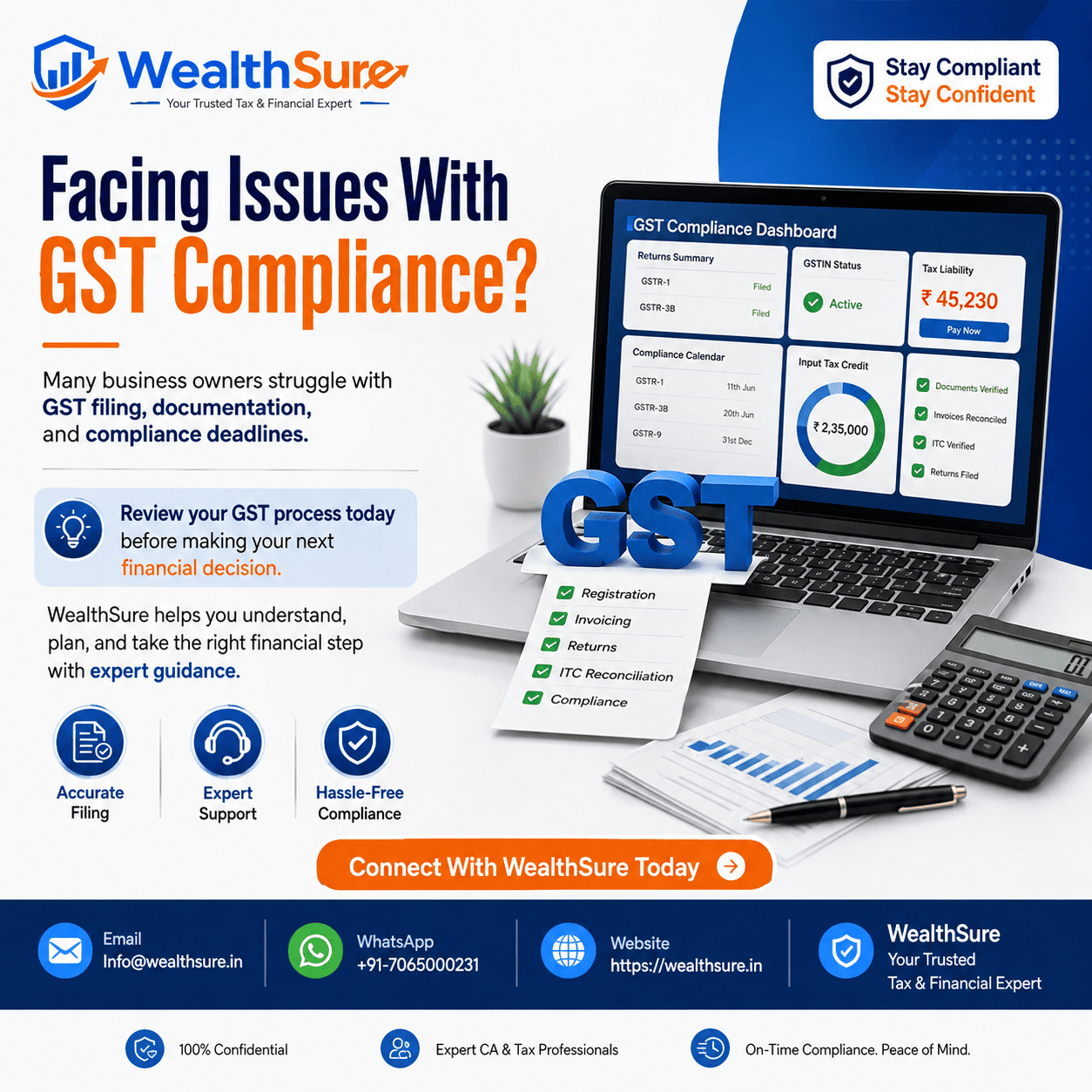
Portal GST is a broad search phrase used by people who want to reach or understand India’s official GST portal. The immediate need may be GST registration, GST portal login, GSTR-1 filing, GSTR-3B filing, a GST payment challan, input tax credit reconciliation, e-invoicing, e-way bill work, refund status or a response to a notice. The portal brings these compliance activities together, but the correct action depends on the taxpayer’s registration type, tax period, transaction records and legal obligations.
For a small business owner, the confusion often starts before login. Should the business register at all? Is the threshold based on one state or the PAN-level aggregate turnover? Does an online seller fall under a compulsory-registration rule? Should the business remain under the regular scheme or consider composition? These decisions affect invoicing, credit availability, return frequency and customer expectations. A portal form can collect the answer, but it cannot decide the business facts for you.
For an already registered taxpayer, the challenge is usually operational. Sales data must be reported correctly in GSTR-1, the summary liability and eligible credit must be reviewed in GSTR-3B, and tax must be discharged through the permitted combination of electronic credit and cash. A payment deposited through a challan is not automatically the same as a return liability successfully offset. The taxpayer should select the correct tax heads, verify the tax period, keep the challan and bank reference, confirm the electronic cash ledger and then complete the return filing process.
Input tax credit creates another layer of responsibility. GSTR-2B is a valuable reconciliation statement, yet credit eligibility also depends on the invoice, receipt of goods or services, supplier compliance, business use, blocked-credit rules and applicable time limits. Similarly, e-invoicing and e-way bill requirements depend on notified thresholds and transaction types. Portal data must therefore be read together with books of account and current law.
This article follows the practical journey of an Indian taxpayer: understanding the portal, deciding whether registration is needed, preparing documents, filing common returns, making payments, reading electronic ledgers, reconciling credit and resolving portal issues. WealthSure is introduced only where expert-assisted GST registration, return filing, reconciliation or notice support can reduce avoidable compliance risk.
Quick Answer: What the GST Portal Is Used For
The official GST portal is the central online platform for most Goods and Services Tax compliance activities in India. Taxpayers use it to apply for registration, file returns, create challans, pay tax, view cash and credit balances, download certificates, submit refunds, respond to notices and track application or filing status.
Use the official GST portal as the primary platform. Before completing any task, verify the GSTIN, legal name, tax period, return type and financial data. Portal-populated values should be reviewed against invoices and books rather than accepted without checking.
For payment, create the challan under the correct heads, confirm the bank transaction, verify the electronic cash ledger and then offset the liability in the relevant return. For input tax credit, reconcile GSTR-2B with purchase records and apply eligibility conditions. Where records are incomplete or transactions are complex, professional GST support may be safer than last-minute self-filing.
Key Takeaways
- The GST portal is the official compliance platform, but correct filing still depends on accurate books, invoices and tax interpretation.
- Registration liability is fact-specific and may depend on aggregate turnover, supply type, state, business model and compulsory-registration provisions.
- GSTR-1 and GSTR-3B perform different functions; outward-supply reporting should be reconciled with the summary tax return.
- A challan deposit is not the final tax discharge; confirm the cash ledger and offset the liability through the return workflow.
- GSTR-2B visibility alone does not guarantee input tax credit eligibility; invoice-level and legal checks remain necessary.
- E-invoicing and e-way bill rules depend on notified criteria and should be checked before issuing or moving goods.
- Save acknowledgements, challans, ledger extracts and error screenshots as part of the business’s GST compliance file.
What This Page Covers
- What the official GST portal does and which common taxpayer tasks are completed there.
- How GST registration liability, thresholds and exceptions should be evaluated before applying.
- How regular and composition schemes differ in practical compliance terms.
- How GSTR-1, GSTR-3B and GSTR-2B connect with invoices, tax liability and input tax credit.
- How to create a GST payment challan and verify cash, credit and liability ledgers.
- How e-invoicing, e-way bills, amendments, refunds and notices fit into the portal workflow.
- How to troubleshoot payment or filing issues and know when expert help may be worthwhile.
Regulatory Basis and Official Sources Used for This Guide
This guide is based on the practical workflow of Indian taxpayers using official GST systems and on public guidance from the Goods and Services Tax portal, the GST portal user manuals, the Central Board of Indirect Taxes and Customs GST resources and the official e-invoice system.
GST law, notifications, thresholds, due dates, portal screens and validation rules can change. Businesses should check the latest official position for the relevant date and tax period. WealthSure can help interpret the applicable requirement, prepare reconciliations and complete filing, but actual submissions and payments should be verified through the official system.
What You Can Do on the Official GST Portal
The GST portal supports the taxpayer’s lifecycle from registration to return filing, payment, refunds, notices and cancellation. The exact menu available depends on whether the user is logged in, the registration status and the taxpayer type.
| Portal function | Typical use | Evidence to retain | Key caution |
|---|---|---|---|
| Registration | Apply for GSTIN, amendment or cancellation | ARN, certificate, notices and replies | Use facts and documents that match PAN and business records |
| Returns | Prepare and file GSTR-1, GSTR-3B and applicable forms | Filed return, ARN and working papers | Reconcile portal data with books before filing |
| Payments | Create challan and deposit tax, interest, fee or other amounts | CPIN, CIN, bank reference and ledger entry | Select the correct major and minor heads |
| Ledgers | View cash, credit and liability positions | Downloaded ledger extracts | Balances do not replace invoice-level verification |
| Refunds | Submit and track eligible refund applications | ARN, statements, attachments and orders | Refunds remain subject to verification |
| Notices and orders | View communications and submit replies | Notice, reply, attachments and acknowledgement | Track response deadlines carefully |
Keep portal credentials secure and assign responsibilities clearly. A business should know who prepares data, who reviews it, who authorises payment and who files using OTP, EVC or DSC. Segregating these roles improves control and reduces accidental filing.
Who Needs GST Registration Before Using Return and Payment Services?
GST registration is generally required when a person crosses the applicable aggregate-turnover threshold or falls within a compulsory-registration category. The result cannot be determined by turnover alone in every case.
Aggregate turnover is considered on a PAN-India basis and includes specified taxable, exempt, export and inter-state supplies, subject to the statutory definition. The applicable threshold can differ for goods, services and certain states or categories. Compulsory-registration provisions may apply even below the normal threshold, while exemptions or relaxations may apply in specified situations.
Questions to answer before submitting a registration application
- What is the constitution of the business and whose PAN will support the registration?
- What supplies are made: goods, services, exports, inter-state supplies, marketplace supplies or a mix?
- What is aggregate turnover across registrations under the same PAN?
- Which states or union territories have a fixed place of business or supply obligation?
- Does a compulsory-registration provision or specific exemption apply?
- Will voluntary registration improve commercial credibility or create unnecessary compliance cost?
A business that needs help evaluating these facts can use GST registration assistance. The objective is not merely obtaining a GSTIN; it is choosing the correct registration basis and starting with accurate master data.
Registration thresholds and exceptions require current verification
Many businesses are familiar with broad turnover benchmarks, but relying on a single number can be unsafe. Thresholds and exceptions depend on the legal category, location and nature of supply. Section 24-type compulsory cases, notified exemptions, special category provisions and changes in law can alter the result.
Before acting, check current official guidance and obtain a fact-specific opinion where the business model involves e-commerce, agents, casual taxable activity, reverse charge, inter-state supply or multiple locations.
Regular GST Scheme or Composition Scheme: Which Portal Path Fits?
The regular scheme supports normal tax invoices and eligible input tax credit, while the composition scheme offers a simplified payment framework for eligible small taxpayers with important restrictions. The decision affects pricing, customers, invoices and return obligations.
| Decision point | Regular scheme | Composition scheme |
|---|---|---|
| Tax collection | Tax is generally charged on taxable supplies | Composition taxpayer follows the prescribed levy and invoice restrictions |
| Input tax credit | Eligible credit may be claimed subject to conditions | Input tax credit is generally not available to the composition taxpayer |
| Customer profile | Often suitable for B2B customers seeking credit | May suit eligible local, smaller and simpler operations |
| Compliance model | Regular outward-supply, summary return and payment workflow | Simplified but rule-bound statements and annual return workflow |
| Restrictions | Standard GST restrictions apply | Eligibility, turnover, supply and business restrictions apply |
The composition option should not be selected only because it appears simpler. A B2B supplier may lose commercial appeal if customers cannot receive normal input tax credit. Conversely, a small eligible consumer-facing business may prefer simplified compliance. WealthSure’s composition scheme guidance can help compare the tax and operational impact.
Documents and Steps for GST Registration on the Portal
A successful registration application depends on consistent identity, business and premises documents. Mismatched names, unclear scans and incorrect constitution details commonly lead to clarification requests.
Documents commonly prepared
- PAN and identity details of the business, promoters, partners or authorised signatory.
- Constitution documents such as partnership deed, incorporation certificate or registration proof.
- Principal and additional place-of-business proof, with consent or authorisation where applicable.
- Bank details or supporting banking evidence where required in the workflow.
- Photographs, authorisation letter, board resolution or signatory evidence where applicable.
- Business activity, goods and services classification and state-specific information.
Portal registration workflow
Start from the new registration service, enter PAN-linked and contact details, validate OTPs and obtain the Temporary Reference Number. Complete the application tabs, upload documents, add authorised signatory information and submit using the permitted authentication method. Save the Application Reference Number and monitor status.
If a clarification notice is issued, read the exact query, prepare a document-supported reply and submit it within the available time. Do not upload unrelated material or alter core facts merely to obtain approval. Where business details later change, use the appropriate GST registration amendment process rather than allowing profile data to become stale.
GST Returns on the Portal: GSTR-1, GSTR-3B and GSTR-2B
For many regular taxpayers, the core monthly or quarterly compliance cycle revolves around outward-supply reporting, summary liability payment and input tax credit reconciliation. These functions are connected but should be reviewed separately.
GSTR-1 reports outward supplies
GSTR-1 contains invoice-level or consolidated outward-supply details as applicable. Accuracy matters because recipient-side statements and downstream compliance can be affected. Reconcile the sales register, credit notes, debit notes, advances and amendments before filing. Businesses needing structured preparation can use GSTR-1 filing support.
GSTR-3B declares summary liability and eligible credit
GSTR-3B is the summary return through which tax liability, input tax credit, reversals and payment are reported. Review auto-populated data, but do not assume that it captures every book adjustment or eligibility restriction. Reconcile turnover, tax heads, reverse charge and ITC before filing. WealthSure provides GSTR-3B preparation and filing support where review is required.
GSTR-2B supports purchase and credit reconciliation
GSTR-2B should be matched with the purchase register at invoice level. Differences may include missing supplier invoices, duplicate entries, credit notes, wrong GSTIN, timing differences or ineligible credit. A clean exception report helps the business follow up with suppliers and apply reversals or reclaims correctly.
| Feature | GSTR-1 | GSTR-3B |
|---|---|---|
| Primary purpose | Report outward supply details | Declare summary liability, ITC and payment |
| Main source | Sales register and tax invoices | Sales, purchases, reconciliations and tax workings |
| Key risk | Invoice omissions or incorrect recipient details | Wrong liability, excess ITC or incorrect tax-head payment |
| Verification | Compare with books and invoice sequence | Compare with GSTR-1, GSTR-2B, ledgers and books |
Return filing should be treated as a monthly close process, not a portal typing exercise. WealthSure’s GST return filing service can help businesses standardise data collection and review.
How Input Tax Credit Works in the Portal Workflow
Input tax credit reduces eligible output tax liability, but only when statutory conditions and utilisation rules are satisfied. It is not simply the total tax shown on all purchase invoices.
A strong ITC process starts with vendor and invoice controls. Confirm GSTIN, invoice number, date, taxable value, tax amount, place of supply and business use. Match the purchase register with GSTR-2B, identify missing or duplicate records, apply blocked-credit rules, account for credit notes and consider reverse-charge obligations. Keep supporting invoices and receipt evidence.
Where the difference list is large, GST input tax credit reconciliation can help create an invoice-level trail. The aim is to claim supportable credit, reverse ineligible amounts and maintain evidence for later review.
GST Payment, Challan Creation and Electronic Ledgers
GST payment on the portal has two stages: depositing money into the electronic cash ledger and using available cash or eligible credit to discharge the liability. Confusing these stages is a common source of incomplete filing.
Create the challan under the correct tax heads
Enter amounts carefully under CGST, SGST or UTGST, IGST, cess and the relevant minor heads such as tax, interest, penalty, fee or other amount. Review the total before generating the challan. Once generated, retain the CPIN and use an available payment mode within the applicable validity window.
Verify the bank result and cash ledger
After payment, check whether a CIN has been generated and whether the amount appears in the electronic cash ledger. If the bank account is debited but the portal has not updated, check payment status and avoid immediate duplicate payment. Save the bank reference and portal screenshots, then use the grievance facility if the issue persists.
Offset the liability before filing
Use eligible electronic credit and available cash in accordance with utilisation rules. Interest, late fee, penalty and certain other liabilities generally require cash. Confirm that the electronic liability register is reduced and that the return receives a successful filing acknowledgement.
Records money deposited and cash balances available under tax heads.
Records eligible input tax credit available for permitted utilisation.
Records tax, interest, fee, penalty and other liabilities posted against the GSTIN.
E-Invoicing, E-Way Bills and Portal Tasks Beyond Returns
The GST compliance cycle may also include e-invoicing and e-way bill requirements. These are separate but connected systems, and applicability depends on notified turnover thresholds, entity exclusions, document type and transaction facts.
E-invoicing
Where e-invoicing applies, specified invoice data is reported to an Invoice Registration Portal to obtain an Invoice Reference Number and QR code. A business should verify current applicability, system integration, cancellation rules and reporting time limits. WealthSure offers GST e-invoicing support for implementation and review.
E-way bills
An e-way bill may be required for movement of goods when prescribed value and transaction conditions are met, subject to exceptions. The invoice, transporter and movement details should be correct, and validity should be monitored. E-way bill support may help businesses with recurring movements or system integration.
GST Portal Errors That Commonly Create Compliance Problems
Most portal problems are not caused by one dramatic mistake; they arise from small data and timing errors that compound across returns and ledgers.
| Common mistake | Why it matters | Better control |
|---|---|---|
| Choosing the wrong GSTIN or tax period | Data and payment may be posted to the wrong registration or period | Use a pre-filing header check before every task |
| Filing GSTR-3B without sales reconciliation | Liability may not match GSTR-1 or books | Close the sales register and compare summaries first |
| Claiming all GSTR-2B credit automatically | Ineligible or blocked credit may be claimed | Apply invoice, receipt, use and legal eligibility checks |
| Paying under the wrong tax head | Cash may be unavailable for the intended liability | Review major and minor heads before challan payment |
| Ignoring a portal notice | Response time may expire and the matter may escalate | Maintain a notice tracker with owner and due date |
| Waiting until the last day | Technical, DSC or payment issues become harder to resolve | Prepare and review several days before the due date |
If a notice appears, download it, identify the legal and factual issue, collect supporting records and reply through the correct portal function. WealthSure’s GST notice response support can assist with structured documentation and submission.
Three Portal GST Situations Businesses Commonly Face
Example 1: Freelancer crosses the registration threshold
Meera provides design services to clients in several states. She watches only the revenue of her home state and assumes each state has a separate basic threshold. The correct approach is to examine aggregate turnover under the PAN, the nature and location of supplies and any compulsory-registration or exemption provisions. Before applying, she should prepare address proof, bank details, service classification and invoicing information. An expert can help her decide the effective registration date and avoid an incorrect voluntary or delayed application.
Example 2: Trader pays the challan but does not complete GSTR-3B
Rohan creates a GST challan and successfully transfers money from his bank. He believes the tax return is complete because the amount appears in the electronic cash ledger. The correct approach is to open the relevant GSTR-3B, verify liability and eligible credit, offset the liability using cash and credit according to the rules, submit and file the return, and save the ARN. Professional review can help when his GSTR-1, books and GSTR-3B values do not match.
Example 3: Manufacturer claims every invoice visible in GSTR-2B
A manufacturing business claims the full GSTR-2B amount without checking whether goods were received, invoices were booked, credit notes existed or blocked-credit rules applied. During reconciliation, the finance team finds duplicate invoices and personal-use expenses. The correct approach is to match GSTR-2B with the purchase register, classify exceptions, apply eligibility tests and keep vendor follow-up evidence. Expert reconciliation can help the business claim defensible credit without overlooking genuine amounts.
Example 4: Business receives a portal notice after registration details change
A partnership shifts its principal place of business but continues filing with the old address. Later, it receives a notice seeking clarification. The business should not merely upload the new rent agreement in the notice reply; it should also examine whether a formal registration amendment is required and whether earlier records need explanation. A coordinated response and amendment can create a cleaner compliance trail.
GST Portal Compliance Checklist for Monthly Closure
- Confirm GSTIN, legal name, filing frequency and tax period.
- Close the sales register and check invoice sequence, credit notes and amendments.
- Reconcile GSTR-1 data with books before submission.
- Match GSTR-2B with the purchase register and classify exceptions.
- Review reverse charge, blocked credit, reversals and reclaims.
- Prepare GSTR-3B liability and compare it with outward-supply data.
- Check electronic credit, cash and liability ledgers.
- Create the challan under correct major and minor heads where cash is required.
- Verify bank payment, CIN, cash ledger and liability offset.
- File the return and save ARN, return copy, challan and working papers.
- Track notices, refund applications, amendments and pending portal actions.
When Expert GST Portal Support May Be Worthwhile
Self-service can work for a small taxpayer with clean records, low transaction volume, straightforward supplies and a reliable monthly process. Expert-assisted support becomes more valuable when the business has multiple GSTINs, high invoice volume, interstate transactions, exports, e-invoicing, reverse charge, input tax credit mismatches, refunds, annual-return work, notices or historical filing gaps.
WealthSure can assist with GST registration, return preparation, GSTR-1 and GSTR-3B review, input tax credit reconciliation, amendments and notice responses. The support should begin with books and business facts, not only with the portal screen.
Summary: Portal GST
Portal GST refers to the official online environment used for GST registration, return filing, challan payment, electronic ledgers, input tax credit workflows, refunds and notices. The portal is essential, but it does not replace correct invoicing, accounting, classification and reconciliation.
For regular compliance, businesses should reconcile GSTR-1 with the sales register, compare GSTR-2B with purchases, review GSTR-3B, create payment challans under correct heads, verify cash and credit ledgers, offset liability and save the filing acknowledgement. Payment deposited without return offset is not the same as completed filing.
Registration, composition eligibility, e-invoicing, e-way bills, refunds and notice replies depend on current law and the taxpayer’s facts. Self-service may be enough for simple cases; expert review is safer when data is inconsistent, transactions are complex or a deadline-sensitive notice is involved.
Complete the Portal Task and Protect the Compliance Record
The main question behind a portal GST search is usually practical: what must be done now, where should it be completed, and how can the business confirm that it was done correctly? The reliable answer begins with the official portal and ends with evidence—registration acknowledgement, filed return, payment reference, ledger entry, notice reply or refund status.
Correct registration, invoicing, return filing, tax payment and input tax credit reconciliation affect cash flow, customer credit, vendor relationships, bookkeeping and business tax reporting. A clean portal trail also makes year-end review and future notice response easier.
Self-service may be suitable where facts and records are simple. Expert-assisted GST support is safer where the business has multi-state activity, mismatches, payment-head errors, e-invoicing, refunds, notices or unresolved past periods. At WealthSure, we don’t just file taxes — we simplify your financial journey and help you build long-term wealth with confidence.
FAQs on Portal GST
What is portal GST and what can I do on the GST portal?
“Portal GST” usually refers to the official Goods and Services Tax portal used by taxpayers and businesses in India. Through the portal, a registered person can apply for GST registration, manage profile details, file returns, create payment challans, view electronic ledgers, submit refund applications, respond to notices, download certificates and track application or filing status. The official portal is also the main place to verify whether a return has been filed and whether tax paid through a challan has reached the electronic cash ledger.
The portal is a compliance platform, not a substitute for correct accounting. The data entered must still match invoices, books of account, place-of-supply rules, tax rates and eligible input tax credit. A common mistake is to treat portal-generated values as automatically correct. Businesses should reconcile sales, purchases, GSTR-1, GSTR-3B and GSTR-2B before filing. Where transactions are complex, expert review can help prevent classification, tax-period and ledger-use errors.
How do I log in to the official GST portal safely?
Open the official GST website directly and use the Login option. Enter the GST portal username, password and captcha shown on the page. Avoid signing in through links received in unsolicited emails, messages or advertisements. Bookmarking the official portal can reduce the risk of opening a look-alike website.
Never share your password, OTP, digital signature token PIN or bank credentials with unknown callers. If an accountant, employee or consultant assists you, use controlled access practices and change credentials when responsibilities change. After login, check the legal name, GSTIN and tax period before starting any return or payment task. Businesses with multiple GST registrations should be especially careful because each GSTIN has separate returns, ledgers and compliance records. If access is lost, use the portal’s authorised username or password recovery process instead of creating a duplicate registration.
How can I apply for GST registration through the portal?
GST registration is initiated from the Services section of the official portal by selecting the new registration option. The applicant generally enters PAN-linked details, mobile number, email address, state or union territory and business information. After OTP validation, a Temporary Reference Number is generated so the application can be completed with promoter, place-of-business, bank, authorised signatory and supporting-document details.
Before submitting, confirm whether registration is legally required or voluntarily beneficial. Liability depends on aggregate turnover, nature and location of supplies, compulsory-registration provisions and applicable notifications. Upload clear, current documents and ensure names and addresses match PAN, constitution documents and premises proof. Once submitted, monitor the application status and respond promptly if the officer issues a clarification notice. WealthSure’s GST registration support can help businesses organise documents, select the right registration type and review the application before filing.
What is the difference between GSTR-1 and GSTR-3B on the GST portal?
GSTR-1 reports outward supply details, while GSTR-3B is the summary return used to declare tax liability, eligible input tax credit and tax payment for the relevant period. They are related but not interchangeable. Values from outward-supply reporting may be made available for GSTR-3B preparation, yet the taxpayer remains responsible for checking accuracy.
A mismatch can arise when sales invoices are omitted, amendments are not reflected, credit notes are missed, place of supply is wrong or books are not reconciled. Filing GSTR-3B based only on a portal summary can therefore produce an incorrect liability. A safer process is to close the sales register, reconcile GSTR-1, review purchase data and GSTR-2B, calculate eligible credit, and then verify GSTR-3B before payment and filing. Businesses may use WealthSure’s GSTR-1 and GSTR-3B filing support when transaction volume or reconciliation complexity makes self-filing risky.
How do I create and pay a GST challan online?
After logging in, a taxpayer can create a payment challan from the payment or ledger area of the portal, or during the return-payment workflow. Select the correct tax amounts under CGST, SGST or UTGST, IGST, cess, interest, penalty, fee or other applicable heads. The portal generates a challan with a CPIN, after which the taxpayer chooses an available payment mode.
The most important step is checking the tax heads before payment. Money deposited in one major or minor head may not automatically settle liability under another head. After successful payment, verify that the amount appears in the electronic cash ledger and retain the challan and payment reference. If money is debited but the ledger does not update, do not immediately pay again. Check status, bank confirmation and portal guidance, then raise a grievance with supporting screenshots if required. Tax is discharged only when the correct liability is offset through the return workflow.
What are the electronic cash, credit and liability ledgers?
The electronic cash ledger records amounts deposited through GST challans and certain other credits allowed as cash. The electronic credit ledger records eligible input tax credit available for permitted use. The electronic liability register records tax, interest, late fee, penalty and other amounts payable or posted against the GSTIN.
These ledgers serve different purposes. Cash deposited is not the same as tax paid against a return until it is used to offset liability. Input tax credit cannot be used for every type of payment; restrictions apply, including for interest, late fee and penalty. Before filing, compare the liability with available credit and cash, verify utilisation rules and check that the final offset is successful. Downloading or saving ledger records can help with monthly closure, audits and dispute resolution. Reconciliation support is particularly useful where credit balances, reversals, reclaims or past-period adjustments are involved.
Why is my GST payment not showing after bank debit?
A bank debit without an immediate GST ledger update can result from payment-status delay, bank confirmation delay, an incomplete transaction, incorrect payment route or a technical issue. First, check the challan history and payment status using the CPIN or CIN details. Also verify the bank statement and allow the normal confirmation process to complete before attempting another payment.
Do not create duplicate payments unless the earlier transaction is clearly unsuccessful. Save screenshots, challan details, timestamps and the bank reference. If the portal continues to show a mismatch, use the GST grievance or help facility and provide precise evidence. Where a return deadline is close, document the issue and seek professional help to plan the next compliant step. Once the amount appears in the electronic cash ledger, remember that it must still be used to discharge the correct liability while filing the applicable return.
Can I claim all input tax credit visible in GSTR-2B?
No. GSTR-2B is an important statement for reconciliation, but visibility in GSTR-2B does not by itself establish final eligibility. Input tax credit depends on statutory conditions, including possession of a valid tax invoice or prescribed document, receipt of goods or services, supplier reporting, tax-payment conditions, filing status, business use and the absence of blocked-credit restrictions.
Businesses should reconcile GSTR-2B with the purchase register, investigate missing or duplicate invoices, identify credit notes, review reverse-charge items and apply reversals where required. They should also monitor time limits and documentation. Claiming credit merely because it is portal-visible can create later reversals, interest exposure or notice risk. WealthSure’s input tax credit reconciliation support can assist with invoice-level matching and exception review, especially for businesses with multiple suppliers, branches or high transaction volumes.
What should I do if the GST portal is not working near a filing deadline?
First, confirm whether the problem is local or portal-wide. Try a supported browser, clear cache, check internet stability, disable conflicting extensions and retry from the official portal. Save dated screenshots of error messages and note the task, return period and time of each attempt. The GST help or self-service grievance facility can be used for persistent technical problems.
Technical difficulty does not automatically extend a statutory due date. Check official advisories or notifications rather than relying on social-media claims. Continue preparing reconciliations and payment calculations offline so filing can be completed promptly when access returns. Avoid last-minute filing as a routine practice because it leaves little time to resolve validation, DSC, OTP, challan or ledger issues. For high-value or complex returns, expert-assisted preparation before the due date can reduce dependence on the final-day portal window.
When should a business use professional GST portal support?
Professional support is useful when GST portal work involves more than straightforward data entry. Examples include multi-state registrations, amendments, composition-scheme decisions, e-invoicing, e-way bills, reverse charge, input tax credit mismatches, refunds, annual returns, cancelled registrations, notices or historical filing gaps. Expert help may also be worthwhile when books and portal data disagree or when a payment has been made under the wrong head.
Self-service may be suitable for a small business with clean records, limited transactions and a clear understanding of its obligations. Even then, the owner should maintain invoices, reconciliations, payment evidence and filing acknowledgements. WealthSure can support registration, return preparation, ledger review, input tax credit reconciliation and notice response. The objective should be accurate, timely compliance based on records—not simply completing a portal screen.