
Income Tax in India Efiling: Practical Guide for Taxpayers
Income tax in India efiling is not only about pressing a submit button on the portal. A correct return depends on income classification, assessment year selection, tax-payment matching, AIS review, Form 26AS reconciliation, challan proof and timely e-verification.
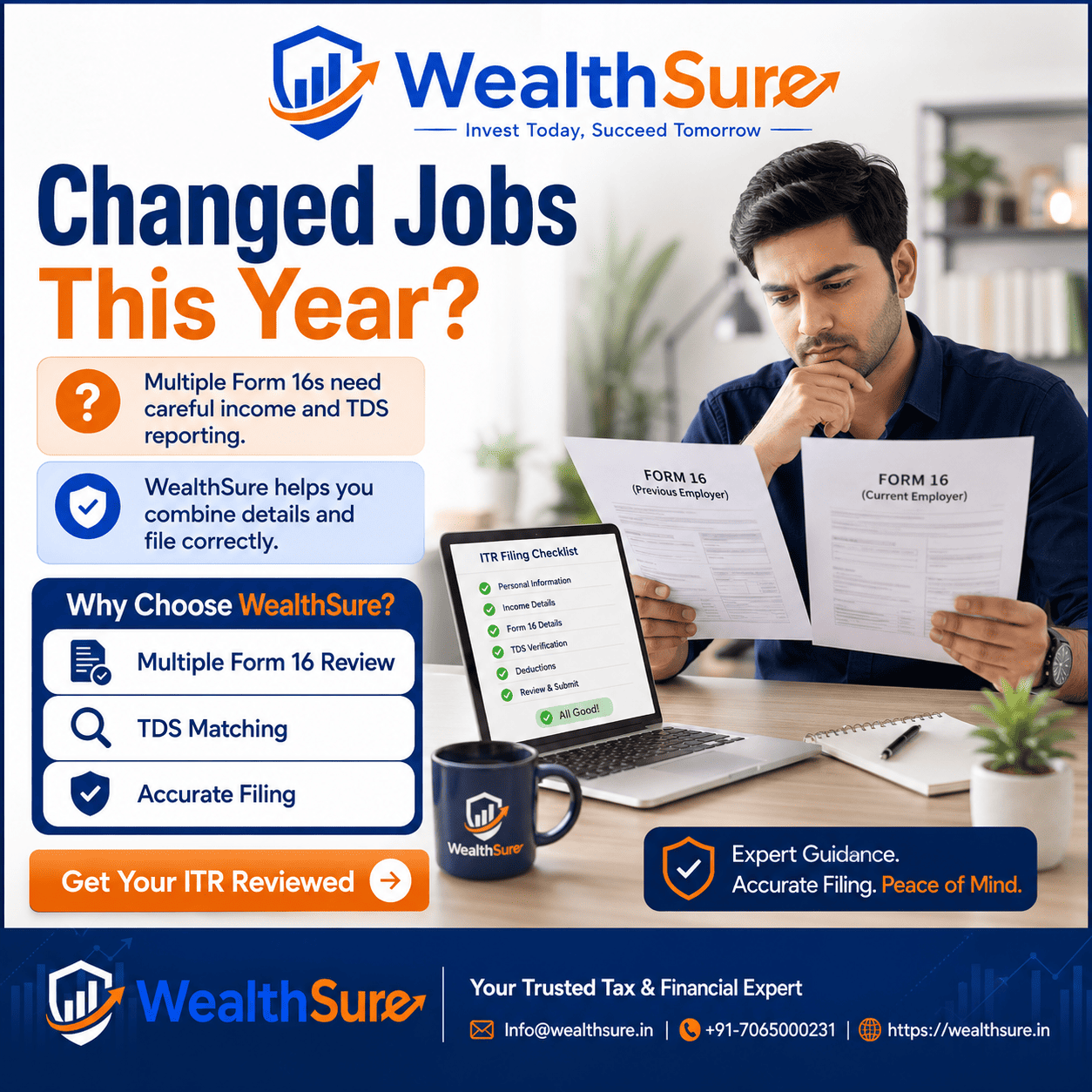
Income tax in India efiling is searched by taxpayers who want to file ITR online, pay income tax online, choose the correct assessment year, download a challan receipt and verify payment in AIS or Form 26AS without making avoidable mistakes. The process may look simple on the Income Tax e-Filing portal, but the practical difficulty often begins before login: Which income details should be reported, which tax-payment category applies, what if Form 16 and AIS differ, and how should a balance tax payable be cleared before return submission?
For a salaried employee, efiling may mean uploading Form 16, checking bank interest, confirming deductions and e-verifying the return. For a freelancer or professional, it can involve business income, expenses, advance tax and the right return preparation approach. For an investor, the key issue may be capital gains, dividend income, foreign assets or tax already deducted by a broker or bank. For an NRI or resident with foreign income, the question is not only how to file online, but whether the income has been classified and disclosed correctly.
A clean efiling workflow protects you from common compliance problems. Selecting the wrong assessment year can cause a tax-payment mismatch. Paying under the wrong minor head can delay reconciliation. Filing without checking AIS may lead to an intimation or later notice. Forgetting e-verification can make an otherwise prepared return ineffective. This article explains the practical sequence: gather documents, review tax data, calculate liability, pay any balance tax, download the challan, file the ITR, e-verify it and preserve records.
WealthSure supports Indian taxpayers with self-service and expert-assisted income tax filing where human review is useful. The aim is not to make tax filing feel complicated; it is to help you complete the right steps in the right order, with enough evidence to support your return if a mismatch or query appears later.
Quick Answer: Income Tax in India Efiling
Income tax in India efiling means submitting your income tax return electronically through the official Income Tax e-Filing portal or through an authorised assisted-filing route. A taxpayer should first collect income documents, compare Form 16, AIS, TIS and Form 26AS, compute the final tax payable, pay any balance tax online, enter challan details if required, submit the ITR and complete e-verification.
The most important practical step is to match the return with the tax records available to the department. The official portal provides e-Pay Tax, tax payment status, AIS and Form 26AS access, but each figure should be read carefully. Tax paid online may take time to reflect; therefore, keep the challan receipt and transaction reference before filing.
Use expert assistance when your return includes more than salary income, capital gains, freelance receipts, business income, foreign income, NRI status, notice response, revised return or updated return issues. WealthSure’s ITR filing services are relevant when you want document review, tax computation and compliance guidance before submission.
Key Takeaways
- Efiling is complete only after return submission and e-verification. Preparing a return but not verifying it can create compliance issues.
- Always choose the correct assessment year. FY 2025-26 income is generally reported in AY 2026-27.
- Self-assessment tax should be paid before filing when your final computation shows a balance tax payable.
- Challan proof matters. Save the challan receipt, transaction reference and payment status confirmation.
- AIS and Form 26AS should be reviewed before filing. They help you identify TDS, TCS, interest, dividends and other reported transactions.
- Do not ignore income outside Form 16. Bank interest, capital gains, freelance receipts and foreign income may still need reporting.
- Expert-assisted filing is useful for complex cases such as capital gains, NRI taxation, professional income, notices and revised returns.
What This Page Covers
- What income tax efiling means for Indian taxpayers.
- How online tax payment fits into the ITR filing workflow.
- When to use advance tax, self-assessment tax and regular assessment tax.
- How to select assessment year and financial year correctly.
- How to verify challan details in tax payment history, AIS and Form 26AS.
- Common efiling mistakes that create mismatches, notices or delays.
- When WealthSure’s expert-assisted filing support can help.
Basis, Portal Context and Reader Safety
This guide is based on the practical workflow Indian taxpayers follow while using the official Income Tax e-Filing portal, reviewing taxpayer information and completing online tax payment. Portal screens, payment modes and challan labels may change, so taxpayers should always confirm the final screen on the official portal before payment or submission.
The Income Tax Department’s public guidance describes e-Pay Tax as a portal service available through the e-Filing portal, including pre-login and post-login payment routes. It also identifies common payment modes and challan-correction routes for key minor heads such as advance tax, self-assessment tax and regular assessment tax.
WealthSure’s role in this article is educational and practical. When the facts of a case are simple, a taxpayer may be comfortable using self-service filing. When the return includes multiple income sources, foreign details, capital gains, professional income or past-year corrections, expert review can reduce avoidable classification and payment-matching errors.
What Is Income Tax in India Efiling?
Income tax efiling is the electronic preparation, submission and verification of an income tax return in India. It includes more than logging in and filling a form; it requires accurate income reporting, tax computation, deduction review, tax-payment reconciliation and e-verification.
In practical terms, a taxpayer first identifies all income for the financial year: salary, pension, house property, business or professional income, capital gains, bank interest, dividends, freelance receipts, foreign income and other taxable receipts. The taxpayer then checks whether taxes have already been deducted or collected, whether advance tax was paid, and whether any self-assessment tax remains payable.
The e-Filing portal is the core digital interface for return filing, e-verification, refund status, notices and tax-payment services. Many taxpayers can complete a simple return on their own. However, the return should not be filed only from Form 16 if AIS shows additional information. A careful filing process compares documents and explains mismatches where necessary.
When Do You Need to Pay Income Tax Online?
You need to pay income tax online when tax already deducted or paid is less than your final tax liability. This usually happens when TDS is lower than actual tax, income is earned from multiple sources, capital gains arise, advance tax was missed, or an assessment demand has been raised.
A salaried person may have adequate TDS from salary but still owe tax because of bank interest, taxable perquisites, capital gains or a second employer. A freelancer may receive payments without full tax deduction and may need advance tax during the year. An investor may owe tax after selling shares, mutual funds, property or foreign assets. A taxpayer who receives a demand after processing may need to pay regular assessment tax.
Online payment is closely connected with accurate efiling. If the balance tax is not paid, the return may show tax payable. If payment is made under the wrong assessment year or minor head, the portal may not match it cleanly with the return. This is why challan review should happen before filing, not after receiving an intimation.
Types of Online Income Tax Payments in India
The correct tax-payment type depends on timing and reason for payment. Most individual taxpayers encounter advance tax, self-assessment tax or regular assessment tax. Choosing the correct category helps the portal match the payment with your return or demand.
| Payment type | When it is used | Common taxpayer situation | Key caution |
|---|---|---|---|
| Advance tax | During the financial year | Freelancer, business owner, investor or salaried taxpayer with extra income | Estimate income carefully and track quarterly due dates. |
| Self-assessment tax | After the year ends, before ITR filing | Final computation shows balance tax payable | Select the correct assessment year and preserve challan proof. |
| Regular assessment tax | After a demand or assessment | Taxpayer receives an intimation or demand payable | Match the payment with the correct demand reference. |
| Fee or other payments | Specific fee or penalty scenarios | Late filing fee or other statutory payment where applicable | Read the portal label and relevant notice before paying. |
If you are unsure between categories, pause before payment. A wrong selection may not always be fatal, but it can create avoidable follow-up work. WealthSure’s advance tax calculation support can help when income varies during the year.
Step-by-Step Guide to Pay Income Tax Online and File ITR
The safest workflow is to calculate first, pay second, file third and verify last. Do not make payment only because someone said tax is due; payment should be based on a proper tax computation for the relevant financial year and assessment year.
Step 1: Collect income and tax documents
Collect Form 16, salary slips, bank interest certificates, rent details, home loan certificate, capital gains statements, broker reports, foreign income details, business or professional receipts, expense records, Form 26AS, AIS and any previous challans. If you used multiple employers, collect documents from all employers.
Step 2: Review AIS, TIS and Form 26AS
AIS may show interest, dividends, securities transactions, TDS, TCS and other reported information. Form 26AS is useful for tax credit and TDS confirmation. If a figure appears incorrect, do not blindly copy it or ignore it. Reconcile with bank statements, broker reports and deductor certificates.
Step 3: Compute final tax liability
Apply the correct tax regime, eligible deductions, rebates, surcharge, cess and interest where applicable. For simple salary returns, this may be straightforward. For capital gains, professional income or foreign income, the computation can require a more careful review.
Step 4: Use e-Pay Tax for balance payment
On the official e-Filing portal, use e-Pay Tax, confirm PAN and identity details, select the appropriate payment category, choose assessment year, enter tax amounts and complete payment using an available mode. The portal currently supports multiple payment modes through authorised banks and service routes.
Step 5: Download and save challan proof
After successful payment, save the challan receipt. Record the challan serial number, BSR code if applicable, payment date, amount, assessment year and minor head. Keep screenshots or PDFs in a tax folder for future reference.
Step 6: File the ITR and complete e-verification
Submit the return only after checking that tax payable, tax paid and refund figures make sense. Once submitted, complete e-verification within the permitted time using an available method such as Aadhaar OTP, net banking, demat/bank validation or other portal-supported options. WealthSure’s free income tax filing route may suit simple cases, while assisted plans are better for complex returns.
Assessment Year vs Financial Year: What to Select
The financial year is the year in which income is earned, while the assessment year is the year in which that income is assessed and the return is filed. For example, income earned from 1 April 2025 to 31 March 2026 belongs to FY 2025-26 and is generally filed in AY 2026-27.
Wrong assessment-year selection is one of the easiest mistakes to make and one of the most annoying to fix. Before paying self-assessment tax, compare the financial year of income with the assessment year shown on the payment screen. If you are filing belated, revised or updated returns, be even more careful because older years may appear in dropdowns.
Details to Check Before Making Payment
Before making online income tax payment, check the details that determine whether the payment will match your return. A few minutes of review can prevent a mismatch in tax credit or a wrong challan correction request.
- PAN and taxpayer name shown on the portal.
- Correct assessment year for the income being reported.
- Correct payment type: advance tax, self-assessment tax or regular assessment tax.
- Tax, surcharge, cess, interest and fee breakup where required.
- Bank account or payment mode limits before initiating payment.
- Whether the return computation still shows balance payable after considering TDS, TCS and advance tax.
- Whether any demand reference is involved for regular assessment tax.
Payment Modes Available on the e-Filing Portal
Payment modes may vary by bank and portal availability, but Indian taxpayers generally see options such as net banking, debit card of authorised banks, pay at bank counter, RTGS/NEFT and payment gateway routes. The portal may also offer pre-login and post-login payment options depending on the service selected.
Choose a mode that gives you a clear receipt and is convenient for your bank account. For high-value payments, check transaction limits before starting. If a payment fails or money is debited without challan generation, avoid repeated payments until you verify status with the portal and the bank.
How to Download Challan or Payment Receipt
You should download the challan or receipt immediately after successful payment and also check it later from tax payment history. The receipt is your evidence that payment was initiated and completed for a specific PAN, assessment year and payment category.
A clean challan record should show taxpayer details, assessment year, amount, payment category, date, transaction reference and challan details. Store the receipt with your ITR acknowledgement, computation, Form 16, AIS download and supporting schedules. If an intimation later asks why tax credit is not matched, these documents help you respond accurately.
How to Verify Payment in AIS, Form 26AS or Tax Payment History
Tax payment verification confirms whether the amount you paid is visible in the tax records used for ITR processing. The best practice is to check tax payment history on the portal and cross-check AIS or Form 26AS after allowing reasonable time for reflection.
If the payment is visible in tax payment history but not yet in AIS or Form 26AS, keep the receipt and check again. If you are close to the due date, use the challan details carefully in the return and preserve evidence. If a mismatch continues after processing, expert support may help you respond to an intimation or correction requirement.
Common Mistakes to Avoid While Efiling Income Tax
Most efiling problems are not caused by the portal alone; they happen because the return, documents and tax-payment records do not agree. The following mistakes are especially common among first-time filers and taxpayers with multiple income sources.
| Mistake | Why it matters | Better approach |
|---|---|---|
| Filing only from Form 16 | Other income may be missed | Check AIS, Form 26AS, bank statements and broker reports. |
| Wrong assessment year | Tax payment may not match | Map FY to AY before payment and return filing. |
| Wrong tax-payment category | Challan may require correction | Understand advance tax, self-assessment tax and regular assessment tax. |
| Ignoring capital gains | AIS may show securities transactions | Use broker statements and proper capital-gain schedules. |
| Not e-verifying the return | Return may not be validly completed | E-verify immediately after submission. |
| Deleting challan proof | Harder to explain mismatch later | Save receipt, computation and acknowledgement together. |
If you discover a mistake after filing, do not panic. Some errors can be corrected through a revised return within the permitted timeline. Older cases may need updated-return analysis or a response to an intimation. WealthSure’s revised and updated return filing support is relevant in such situations.
Practical Examples and Mini Case Studies
Real taxpayers rarely fit into one perfect template. These examples show how income tax efiling decisions change when the person’s income pattern changes.
Example 1: Salaried employee with bank interest
Riya has Form 16 from her employer and assumes the return is complete. AIS shows savings interest and fixed deposit interest that did not appear in Form 16. If she files only from Form 16, taxable income may be understated. The correct approach is to include interest income, compute final tax and pay self-assessment tax if TDS is insufficient. Expert guidance helps if interest appears under multiple bank accounts or if TDS credit differs from Form 26AS.
Example 2: Freelancer who missed advance tax
Arjun earns professional income from several clients. Some clients deduct TDS, but his actual tax liability is higher than TDS. He searches for income tax in India efiling near the due date and discovers that interest may apply because advance tax was not paid on time. The correct approach is to compute total professional receipts, eligible expenses and balance tax before filing. Business and professional income filing support can help classify receipts, expenses and tax payments correctly.
Example 3: Investor with capital gains and dividend income
Meera sold equity mutual funds, shares and received dividends. Her Form 16 is clean, but AIS shows securities transactions and dividend entries. The mistake would be to ignore them because salary TDS already exists. The correct approach is to obtain capital gains statements, classify short-term and long-term gains, check exemptions where applicable and report dividends. WealthSure’s assisted filing can help avoid schedule-level errors and tax-payment mismatches.
Example 4: Payment deducted but challan not generated
Dev pays self-assessment tax online. Money is debited, but the challan page does not load. The common mistake is to pay again immediately. The better approach is to check payment status, bank reference, tax payment history and portal guidance. If the status remains unresolved near the deadline, he should preserve screenshots and seek help before deciding whether a second payment is necessary.
Income Tax Payment Online and Efiling Checklist
Use this checklist before submitting your return. It is intentionally practical, because a clean filing file is easier to defend than a return prepared in haste.
- Confirm PAN, mobile number and e-Filing portal access.
- Download Form 16, AIS, TIS and Form 26AS.
- Collect bank interest, capital gains, rent, loan, insurance and deduction documents.
- Choose the correct tax regime and compute liability.
- Check whether TDS, TCS and advance tax cover final tax.
- Pay self-assessment tax online if balance tax is payable.
- Verify assessment year, minor head and payment amount before final payment.
- Download challan receipt and save transaction proof.
- File the ITR with all income schedules correctly completed.
- E-verify the return and save acknowledgement.
How WealthSure Can Help
WealthSure can help when you want more than basic form filling. Our tax team can review documents, reconcile AIS and Form 26AS, compute tax, guide online payment, prepare the correct return, handle revised or updated returns and assist with notices where needed.
For straightforward salary cases, start with free income tax filing. For returns with salary plus capital gains, foreign income, multiple employers or detailed schedules, consider expert-assisted ITR filing. If you have a tax notice or demand, use income tax notice response support instead of guessing from generic advice.
Summary: Income Tax in India Efiling
Income tax in India efiling becomes easier when you follow the right order: collect documents, verify tax data, compute liability, pay any balance tax, save challan proof, file the return and e-verify it. The portal is digital, but the accuracy still depends on human judgment and document reconciliation.
The most important points are simple: use the correct assessment year, choose the correct payment category, do not ignore AIS, include income outside Form 16, save challan receipts and complete e-verification. If your case includes capital gains, freelance income, foreign income, old-year corrections or notices, expert assistance can prevent avoidable errors.
WealthSure helps Indian taxpayers complete efiling with clarity, documentation and practical compliance support. The goal is to help you file accurately, respond confidently if records mismatch and manage your tax obligations without unnecessary stress.
Frequently Asked Questions
What does income tax in India efiling mean?
Income tax in India efiling means preparing and submitting an income tax return electronically through the Income Tax e-Filing portal or through an authorised assisted-filing route. The process generally includes collecting income documents, checking AIS and Form 26AS, calculating tax, paying any balance tax, submitting the ITR and completing e-verification.
Can I pay income tax online before efiling my ITR?
Yes. If your TDS, TCS and advance tax do not cover your final tax liability, you can pay self-assessment tax online before submitting your ITR. After payment, keep the challan details and verify that the payment appears in your tax payment history, AIS or Form 26AS before finalising the return.
Which assessment year should I select while paying tax online?
Select the assessment year that follows the financial year for which income is being reported. For income earned during FY 2025-26, the assessment year is AY 2026-27. Choosing the wrong assessment year is one of the most common reasons for payment mismatch during ITR filing.
What is the difference between advance tax and self-assessment tax?
Advance tax is paid during the financial year when estimated tax liability remains after TDS and TCS. Self-assessment tax is paid after the year ends, usually before ITR submission, when your final computation shows a balance payable. Both are paid online, but the minor head and timing are different.
How do I know whether my online tax payment was successful?
A successful payment normally generates a challan or receipt with payment details. You should save it and later verify the payment in the e-Filing portal’s tax payment history, AIS or Form 26AS. Reflection may not always be instant, so allow reasonable processing time before assuming a mismatch.
What should I do if money is deducted but challan is not generated?
First check the payment status on the e-Filing portal and your bank transaction record. Do not immediately make another payment unless necessary. If the status is unclear, use the portal support route or bank support, preserve screenshots and transaction references, and seek expert help if the ITR deadline is close.
Do I need Form 16 for income tax efiling in India?
Salaried taxpayers usually use Form 16 to report salary, TDS and deductions correctly. However, Form 16 should be cross-checked with AIS and Form 26AS because investment income, bank interest, capital gains, freelance income or other details may not be fully captured in Form 16.
Can I e-file my ITR if I have capital gains or freelance income?
Yes, but the return may need more careful classification and supporting details. Capital gains require transaction-wise reporting in many cases, and freelance or professional income may need business-income treatment, expenses, books or presumptive-tax analysis. Assisted filing can reduce classification errors.
What happens after I submit my ITR online?
After submission, you must e-verify the return within the permitted timeline. Without e-verification, the return may not be treated as validly filed. You should also keep acknowledgement, computation, challan proofs and supporting documents for future reference.
When should I use WealthSure for income tax in India efiling?
Use WealthSure when your return involves salary plus multiple income sources, capital gains, foreign income, freelance income, business income, advance tax, revised returns, updated returns or notice-related issues. WealthSure’s expert-assisted filing can help with computation, document review, tax-payment reconciliation and correct submission without hard-selling unrelated services.
Need Help With ITR Efiling or Tax Payment?
If your return is more than a simple salary case, get your documents reviewed before filing. WealthSure can help you understand tax payable, challan selection, AIS/Form 26AS reconciliation and correct ITR submission.