
Income Tax Return Filing Glitches WealthSure: Fix ITR Errors the Right Way
Income tax return filing glitches WealthSure is a practical guide for Indian taxpayers facing ITR submission errors, payment confirmation issues, challan mismatches, AIS or Form 26AS differences, login problems, e-verification failures or confusion during online return filing.
Key Takeaways
- Most ITR glitches are not random. They usually fall into four buckets: portal issues, document mismatches, payment-credit problems or incorrect return data.
- Never ignore assessment year and challan category. Wrong selections can make a valid payment look missing during ITR filing.
- AIS, TIS and Form 26AS should be checked before submission. A mismatch may not always be a mistake, but it must be understood before filing.
- If money is debited but the challan is not visible, preserve proof. Bank reference, payment date, PAN, assessment year and amount are essential for follow-up.
- Portal slowness near deadlines is common, but rushed filing causes bigger problems. Save drafts, verify data and avoid duplicate payments.
- WealthSure can help when the issue affects tax liability or return accuracy. Simple browser glitches may be self-managed, but compliance errors deserve expert review.
- Accurate filing is more important than fast filing. A clean ITR depends on correct income disclosure, tax credit matching, payment verification and e-verification.
What This Page Covers
- What users usually mean when they search for income tax return filing glitches WealthSure.
- How to separate portal glitches from tax calculation, document, payment and e-verification problems.
- What to check before paying self-assessment tax or filing ITR online.
- How assessment year, financial year, challan category and tax payment proof connect with accurate filing.
- How to verify payment in tax payment history, AIS, TIS and Form 26AS where applicable.
- Common mistakes that can lead to failed submission, delayed correction or future notice risk.
- When self-service is enough and when WealthSure’s expert-assisted ITR filing support may be safer.
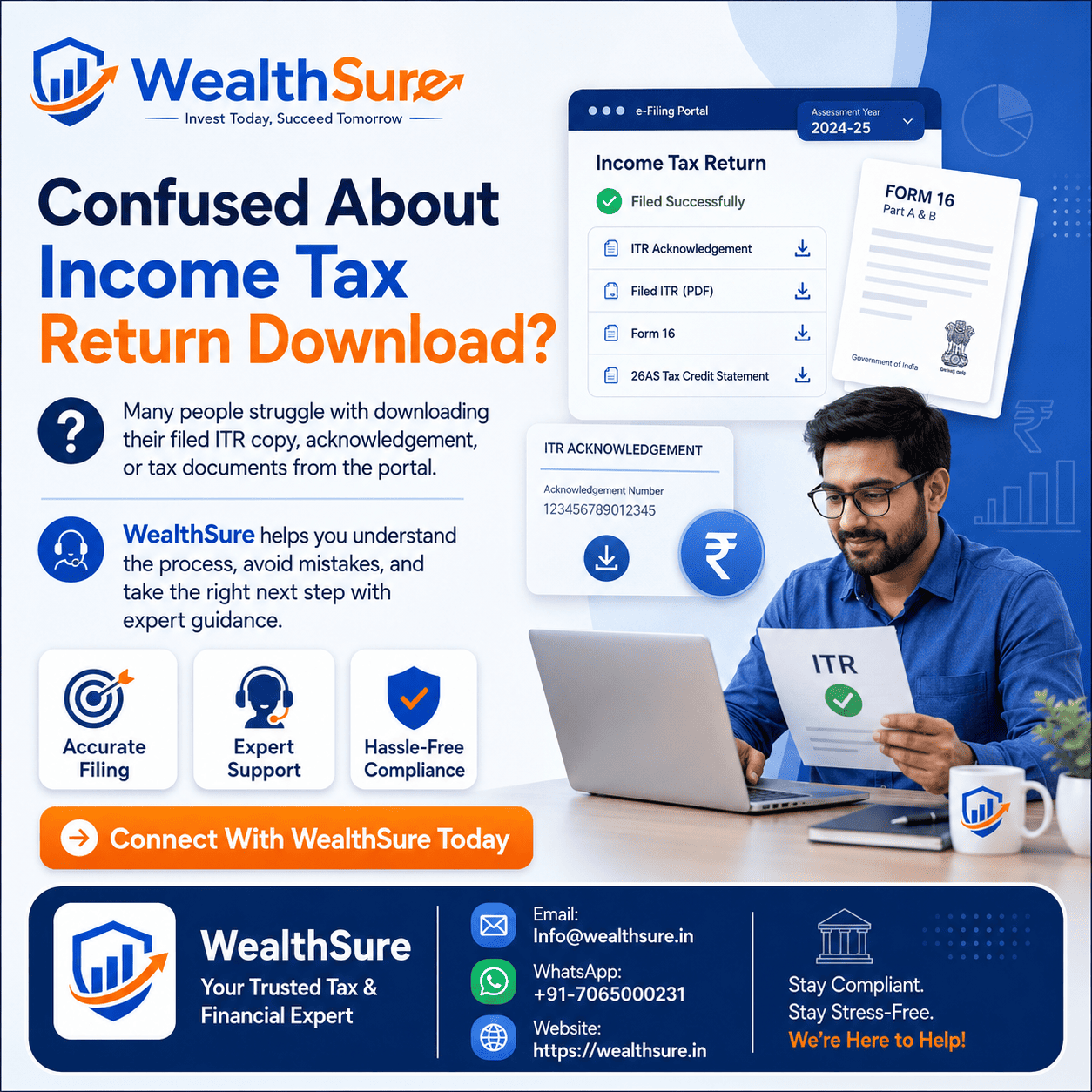
Income tax return filing glitches WealthSure is the kind of search made by a taxpayer who is not looking for theory. The person is usually trying to file an income tax return, fix a WealthSure ITR filing error, understand why an ITR submission problem occurred, or find out what to do when the tax portal does not show a challan, payment, AIS entry, Form 26AS credit or successful e-verification. In real life, the issue may appear as a login error, a tax payable mismatch, a failed validation message, a frozen payment screen, a rejected return upload, an OTP issue, or a message saying the return cannot be submitted until an error is fixed.
For Indian taxpayers, a filing glitch can feel stressful because ITR filing is not just a form submission. It connects salary, business income, freelancer receipts, capital gains, bank interest, TDS, advance tax, self-assessment tax, deductions, exemptions, bank validation and e-verification. A small mistake in assessment year, challan category, PAN, return type or tax regime can create a mismatch even when the taxpayer has acted honestly. A technical problem may also hide a compliance problem. That is why the right response is not to panic or keep clicking repeatedly; it is to identify the cause, preserve proof and correct the return trail.
This guide explains the practical fixes for income tax return filing issues in India. It covers common technical errors while filing ITR through WealthSure or while using the official Income Tax e-Filing portal, how to troubleshoot tax payment and challan problems, how to check whether payment reflects in AIS or Form 26AS, what to do if money is deducted but a challan is not generated, and how to avoid mistakes before submitting the return. The goal is to help taxpayers move from confusion to a clear next step.
WealthSure’s role is to make tax filing easier, more accurate and better documented. Some issues can be solved through self-service, such as clearing browser cache or retrying after portal downtime. Other issues need expert review, especially when tax liability, payment proof, capital gains, NRI income, business income or revised return decisions are involved. If a filing glitch affects the numbers in your return, get the computation checked before submission rather than correcting it after a notice or mismatch appears.
Quick Answer: Income Tax Return Filing Glitches WealthSure
Income tax return filing glitches WealthSure usually means the taxpayer is facing an ITR filing problem and needs a safe way to diagnose it. Start by identifying whether the issue is technical, document-related, payment-related or return-computation related. A browser problem is handled differently from a challan mismatch or an unpaid self-assessment tax issue.
If tax payment is involved, check the official Income Tax e-Filing portal, payment history, challan receipt, bank debit, PAN, assessment year and payment category. For information matching, review AIS, TIS and Form 26AS using the official portal or Income Tax Department resources.
Do not make duplicate payments, revise returns or change income figures only to bypass a validation error. First understand the reason. If the issue affects tax payable, refund claim, capital gains, NRI income, business income, or e-verification, WealthSure’s ITR filing support or Ask Our Tax Expert service can help you review the filing trail and take the correct next step.
Methodology and Official Sources
This article is based on practical tax-filing and tax-payment workflows followed by Indian taxpayers, including official portal use, document reconciliation, challan verification and return submission checks. The objective is to explain how taxpayers can handle ITR filing glitches without hiding income, forcing incorrect numbers or overlooking payment-credit mismatches.
For actual tax payment, return submission, AIS access and Form 26AS viewing, taxpayers should use the official Income Tax e-Filing portal. The Income Tax Department’s resources on e-Pay Tax, AIS FAQs, and Form 26AS access are useful references. Investors dealing with securities transactions may also refer to investor education from SEBI where capital-market context is relevant.
Tax rules, payment modes, portal screens and reporting formats may change by assessment year. WealthSure can assist with interpretation, filing, documentation and compliance support, but the final tax position depends on the taxpayer’s actual income, tax regime, deductions, exemptions, documents and applicable law.
What Does an Income Tax Return Filing Glitch Actually Mean?
An income tax return filing glitch means something is stopping the taxpayer from completing, validating, submitting, paying for or e-verifying the return accurately. The cause may be a temporary portal issue, but it may also be a data mismatch that needs correction before filing.
Many taxpayers use the word “glitch” for every problem they see on screen. That is understandable, but it can lead to the wrong fix. A slow page, failed OTP or browser timeout is usually technical. A tax payable mismatch, missing challan, AIS difference or incorrect capital gains value is not merely technical; it may affect the correctness of the return. The best search result for a user facing this problem should help them decide which type of issue they have.
In WealthSure’s filing workflow, the first question is simple: Is the return blocked because the website is not working, or because the return data is not matching the tax records? Once this is clear, the taxpayer can take a practical next step instead of repeatedly retrying the same failed action.
| Glitch type | What it looks like | Likely next step |
|---|---|---|
| Technical portal issue | Slow login, page not loading, OTP failure, session timeout | Save draft, retry later, use supported browser, avoid duplicate payment |
| Payment issue | Money debited, challan missing, tax paid not reflected | Check payment history, bank reference, challan status and assessment year |
| Document mismatch | AIS, TIS, Form 26AS or Form 16 data differs from return | Reconcile income, TDS, TCS, advance tax and self-assessment tax |
| Return validation issue | Utility shows error before submission | Fix missing schedule, invalid entry, tax regime, bank or disclosure issue |
| E-verification issue | Return filed but not verified | Use Aadhaar OTP, net banking, bank account, demat or other available mode |
Once the category is identified, troubleshooting becomes simpler. If the problem involves tax calculation or tax credit, do not treat it like a browser issue. If it is only portal slowness, do not change income figures to force submission.
Common Types of ITR Filing Errors and WealthSure Troubleshooting Steps
Most ITR filing errors can be solved by matching the error message with the underlying compliance step. A taxpayer should not jump directly to filing a revised return or making another tax payment until the cause is clear.
1. Login, OTP or session timeout issues
These are usually technical. Check internet stability, browser compatibility, cookies, pop-up settings and whether the portal is under heavy traffic. If you are using WealthSure’s assisted workflow, save the latest document set and avoid changing tax data merely because a page failed to load.
2. Validation errors before submission
Validation errors often point to missing schedules, invalid bank account details, incorrect personal information, unsupported characters, unfilled mandatory fields or inconsistent tax calculation. Read the error carefully. A line-level validation message is usually more useful than the top-level failure message.
3. Payment mismatch or challan issue
This is one of the most important problems. If the return shows tax payable even after payment, check whether the challan belongs to the correct PAN, assessment year, tax type and payment category. Also verify whether the payment has had enough time to reflect in the portal records.
4. AIS, TIS and Form 26AS mismatch
AIS is a broader information statement and may include income or transactions reported by banks, brokers, employers and other reporting entities. Form 26AS focuses on tax credit information such as TDS and TCS. If the return ignores a relevant entry, it can create future questions. If an entry is wrong, it should be reviewed and appropriate feedback or correction should be considered through official channels.
5. E-verification failure
Filing is not complete until the return is verified through an allowed mode. If Aadhaar OTP does not work, check whether mobile number linkage, profile data or OTP delivery is the problem. Other available verification methods may be considered depending on the taxpayer’s profile.
Step-by-Step Guide to Fix Income Tax Return Filing Glitches
The safest way to fix an income tax filing glitch is to follow a sequence: capture the issue, preserve records, verify data, correct the return and then submit. This prevents accidental duplicate payments or incorrect filing.
| Step | Action | Why it matters |
|---|---|---|
| 1 | Save the draft return and note the exact error message | Prevents loss of data and helps identify the real problem |
| 2 | Check whether the issue is technical or tax-data related | Technical glitches and compliance mismatches need different fixes |
| 3 | Verify PAN, assessment year, return type and tax regime | Wrong basic selections can cause downstream errors |
| 4 | Reconcile Form 16, AIS, TIS, Form 26AS and challans | Ensures income and tax credit data are aligned |
| 5 | Check self-assessment tax or advance tax payment proof | Prevents payment mismatch and incorrect tax payable display |
| 6 | Correct the return fields instead of bypassing the error | Improves filing accuracy and reduces future mismatch risk |
| 7 | Submit and complete e-verification | Unverified returns may not be treated as fully completed |
If you are unsure at step four or five, pause and get the return reviewed. WealthSure’s assisted filing support is useful when the taxpayer has documents but needs expert guidance to avoid incorrect submission.
Assessment Year vs Financial Year: What to Select During Filing or Payment
The assessment year is the year in which income earned during a financial year is assessed and reported. Selecting the wrong assessment year is one of the most common causes of tax payment and ITR filing glitches.
For example, income earned from 1 April 2025 to 31 March 2026 belongs to financial year 2025-26 and is generally reported in assessment year 2026-27. A taxpayer who selects AY 2025-26 by mistake may pay tax under the wrong year. The payment may be real, but it may not match the return being filed.
Before making any payment or filing any return, confirm the financial year of income, assessment year, PAN, tax type and return category. If a payment has already been made under the wrong year, do not try random fixes. Review the situation and use the official correction or support process that applies to your case.
Advance Tax, Self-Assessment Tax and Regular Assessment Tax: Which One Applies?
Tax payment glitches often happen because the taxpayer chooses the wrong payment category. The words sound similar, but they refer to different stages of tax compliance.
| Payment type | When it is usually paid | Common glitch |
|---|---|---|
| Advance tax | During the financial year when estimated tax payable after TDS crosses applicable threshold | Freelancers, investors and business owners underestimate income or miss instalments |
| Self-assessment tax | After the financial year ends but before filing ITR, when final computation shows tax payable | Taxpayer pays but challan does not reflect before return submission |
| Regular assessment tax | After a demand or assessment communication from the department | Taxpayer selects it by mistake while trying to pay self-assessment tax |
| TDS or TCS related payment | Usually for deductors or collectors, not ordinary salary return filing | Individual taxpayer chooses the wrong category while paying personal tax |
For many salaried taxpayers, self-assessment tax is the common payment before filing if TDS is short. For freelancers, consultants, business owners and investors, advance tax is often relevant because income may not have full TDS coverage. WealthSure’s advance tax calculation support can help taxpayers estimate liability before it becomes a filing-time problem.
Details to Check Before Making or Matching a Tax Payment
Before making a payment or blaming a filing glitch on the portal, check the details that control whether the payment will match your return. A correct payment with one wrong field can still create a mismatch.
- PAN: Ensure the payment belongs to the taxpayer whose return is being filed.
- Assessment year: Match it with the income period being reported.
- Payment category: Select advance tax, self-assessment tax or regular assessment tax correctly.
- Amount: Include tax, surcharge, cess, interest and fee only where applicable based on computation.
- Bank reference: Save transaction ID, debit proof and payment status.
- Challan receipt: Download and store the challan once generated.
- Return draft: Update tax payment details correctly in the ITR utility or portal where required.
If your payment was made through the official e-Pay Tax flow but does not reflect, check the official payment history and wait for normal processing before taking drastic steps. If the deadline is close, take expert advice before deciding whether a duplicate payment, grievance or correction route is appropriate.
How to Verify Payment in AIS, Form 26AS or Tax Payment History
Payment verification means confirming that the tax you paid is visible in the official records or supported by valid proof before the return is filed. This is important because a return claiming tax credit without matching proof may create processing or mismatch issues.
Start with the e-Filing portal’s payment history or e-Pay Tax status. Then check AIS and Form 26AS where relevant. The Income Tax Department notes that AIS provides a comprehensive view of taxpayer information, while Form 26AS has been more focused on TDS and TCS data for recent assessment years. That means taxpayers should not rely on one screen alone when reconciling their return.
If payment is not visible, do not hide the tax or claim a credit casually. Keep proof, follow the official support process and consider expert help before filing. WealthSure can help reconcile challan, tax computation and return data so the filing position is documented.
Common Mistakes to Avoid When Fixing ITR Filing Glitches
The biggest mistake is trying to bypass an error instead of understanding it. A filing system error may be temporary, but a tax-data error can follow the taxpayer after filing.
| Mistake | Why it creates risk | Better approach |
|---|---|---|
| Making duplicate tax payments immediately | Creates refund or adjustment complications | Check payment status and bank reference first |
| Selecting wrong assessment year | Payment may not match the return | Match AY with the financial year of income |
| Ignoring AIS entries | Unreported income may trigger mismatch | Review AIS, TIS and supporting documents |
| Changing income to match refund expectation | Can make return inaccurate | File based on actual income and documents |
| Not completing e-verification | Return process remains incomplete | Verify through an accepted method after filing |
| Waiting until the last hour | Portal traffic and document gaps become harder to solve | Prepare early and keep proof ready |
Good tax filing is not about forcing a return through the portal. It is about filing a return that matches income, tax credits, payments and disclosures as accurately as possible.
Practical Examples: How Real Taxpayers Should Handle Filing Glitches
The following examples show how common filing problems should be handled without panic, duplicate action or unsupported assumptions.
Example 1: Salaried employee paying self-assessment tax before filing ITR
Anita, a salaried employee in Pune, has salary TDS but also bank interest and a small amount of freelance consulting income. Her return shows tax payable. She pays self-assessment tax, but the return still shows tax due after an hour. The common mistake would be making another payment immediately. The correct approach is to check the challan receipt, payment history, PAN, assessment year and payment category. If the payment is valid but not reflected yet, she should preserve proof and retry after the update. WealthSure can help her reconcile Form 16, AIS and payment details before submission.
Example 2: Freelancer paying advance tax late
Rahul, a freelancer in Hyderabad, receives payments from multiple clients. He files near the deadline and discovers interest because advance tax was not paid during the year. He thinks the portal has calculated the wrong amount. The real issue is estimated tax liability during the financial year. The correct approach is to compute income, expenses, TDS, advance tax shortfall and applicable interest. For future years, he should review liability quarterly. WealthSure’s advance tax calculation support can help freelancers avoid filing-time surprises.
Example 3: Investor with capital gains mismatch
Meera sold listed shares and mutual funds. Her AIS shows securities transactions, but her return draft uses only bank interest and salary data. The validation may not block filing, but the return may still be incomplete. The common mistake is assuming that if the portal accepts the return, the return is correct. The better approach is to compute capital gains using broker statements, AIS, transaction reports and applicable tax rules. WealthSure’s capital gains tax review can help classify gains and report them properly.
Example 4: NRI with Indian income and e-verification issue
Vikram, an NRI, has Indian rental income and TDS. He prepares the return but cannot complete e-verification due to access and mobile-linked OTP issues. The mistake would be assuming upload alone is enough. The correct approach is to verify through an available permitted mode and ensure the bank account, contact details and return data are correct. WealthSure’s NRI income tax filing support can help when Indian income, TDS, residential status and verification steps interact.
Example 5: Taxpayer choosing the wrong assessment year
Sanjay pays tax for income earned in FY 2025-26 but accidentally selects AY 2025-26. When he files the AY 2026-27 return, the tax payment does not match. The common mistake is blaming the filing platform without checking the challan. The correct approach is to compare the challan details with the return year and use the official correction or support route where available. Expert help is useful before filing because the wrong year can affect tax payable, refund and mismatch handling.
Income Tax Return Filing Glitch Checklist Before You Submit
Use this checklist before submitting the return or asking for expert help. It gives you a clean filing trail and helps the reviewer diagnose the issue faster.
- Download Form 16, interest certificates, capital gains statements and any business or professional income summary.
- Review AIS, TIS and Form 26AS for income, TDS, TCS and tax payment information.
- Confirm PAN, assessment year, financial year and tax regime selection.
- Check whether self-assessment tax, advance tax or other payment category is selected correctly.
- Download challan receipt and save bank transaction proof.
- Validate bank account details and refund account status.
- Resolve return utility validation errors instead of bypassing them.
- Complete e-verification after submission and save the acknowledgement.
- Keep screenshots only for genuine technical issues, not as a substitute for filing.
- Use revised or updated return support only when the facts justify correction under the applicable rules.
How WealthSure Can Help With ITR Filing Glitches
WealthSure can help taxpayers diagnose the cause of an ITR filing glitch, review documents, reconcile tax payments, check AIS and Form 26AS differences, identify missing income schedules, understand self-assessment tax or advance tax issues, and complete return filing with better documentation.
The support is most useful when the issue affects return accuracy, tax payable, refund claim, capital gains, NRI income, business income, or a notice-prone mismatch. WealthSure does not promise guaranteed refunds or guaranteed tax savings. The focus is accurate filing, practical explanation and compliance support based on the taxpayer’s actual facts.
Summary: Income Tax Return Filing Glitches WealthSure
Income tax return filing glitches WealthSure refers to practical problems taxpayers face while filing ITR, including portal errors, failed validation, missing challans, payment mismatches, AIS or Form 26AS differences, wrong assessment year selection and e-verification failures.
The safest response is to identify the category of glitch before acting. Technical issues may require retrying later or changing browser settings. Payment and data mismatches require careful checking of PAN, assessment year, payment category, challan receipt, tax payment history, AIS, TIS and Form 26AS.
Self-service is enough for simple portal problems. Expert-assisted support is safer when the issue affects tax liability, refund claim, capital gains reporting, NRI income, business income, revised return decisions or deadline-sensitive compliance. WealthSure can help taxpayers move from error diagnosis to accurate filing without overpromising outcomes.
FAQs on Income Tax Return Filing Glitches WealthSure
What does income tax return filing glitches WealthSure mean?
Income tax return filing glitches WealthSure usually refers to a taxpayer looking for help with ITR filing errors, portal issues, payment confirmation problems, challan mismatches, AIS or Form 26AS differences, or return submission failures while trying to complete income tax compliance. The issue may be on the official Income Tax e-Filing portal, in the user’s documents, in payment records, or in the way income details have been entered. The first step is to identify whether the problem is technical, data-related, payment-related, or compliance-related. WealthSure can help by reviewing the filing trail, documents, tax payment proof and return draft before the taxpayer submits or corrects the return.
Why does my income tax return fail during submission?
An income tax return may fail during submission because of portal downtime, Aadhaar-PAN or profile mismatch, incorrect bank validation, missing schedules, invalid JSON or utility data, incorrect tax regime selection, unpaid self-assessment tax, or a mismatch between tax payable and tax paid. Sometimes the return appears complete but fails at e-verification because the mobile number, email, Aadhaar OTP, net banking login, or digital signature flow is not working. The practical approach is to save the draft, download the error message if available, compare tax payable with challans, check profile and bank details, and retry after clearing validation errors. If the issue is not obvious, expert review can prevent repeated failed submissions.
What should I do if money is deducted but the tax challan is not generated?
If money is deducted but the challan is not generated, first do not immediately make a duplicate payment unless the deadline or interest exposure makes it necessary after review. Check the payment status on the official e-Filing portal under e-Pay Tax or payment history, verify the bank transaction reference, wait for the normal bank-to-portal update window, and download any available challan receipt. If the payment does not appear, contact the bank and the Income Tax Department helpdesk with the transaction details. Keep proof such as bank statement, reference number, date, amount, PAN, assessment year and tax payment category. WealthSure can help reconcile the payment before ITR filing so the return does not show an avoidable tax payable mismatch.
How do I know whether to pay advance tax or self-assessment tax?
Advance tax is paid during the financial year when estimated tax liability after TDS is usually ₹10,000 or more, subject to applicable rules. Self-assessment tax is paid after the financial year ends but before filing the income tax return, when the final return computation shows tax still payable. Regular assessment tax is paid after a demand or assessment communication from the Income Tax Department. Choosing the wrong category can create confusion during return filing or tax credit matching. Before paying, calculate total income, TDS, TCS, advance tax already paid, eligible deductions, tax regime impact and interest, if any. If the amount involves capital gains, freelancer income, NRI income or business income, expert assistance may be useful.
Which assessment year should I select while fixing an ITR payment or filing glitch?
Select the assessment year that follows the financial year for which the income is being reported. For example, income earned during financial year 2025-26 is generally reported in assessment year 2026-27. Many ITR and payment glitches happen because taxpayers select the current calendar year instead of the relevant assessment year. If a challan is paid under the wrong assessment year, the tax credit may not match the return automatically and additional correction steps may be needed. Before paying tax or filing ITR, confirm the financial year, assessment year, return type and payment category. WealthSure’s assisted filing review can help catch this error before return submission.
Why is my tax payment not visible in AIS or Form 26AS?
Tax payment may not appear in AIS or Form 26AS immediately because bank reporting, portal processing, and statement updates can take time. From recent assessment years, AIS provides a broader view of taxpayer information while Form 26AS focuses more on tax-related credits such as TDS and TCS. If a payment is missing, check the e-Filing portal payment history, challan receipt, bank debit entry, PAN, assessment year and payment category. If the data is correct but not reflected after a reasonable period, use the official support route and preserve all evidence. Do not file blindly if the return depends on that payment credit; first reconcile the records or take expert help.
Can I file my ITR if the portal is slow or showing glitches near the deadline?
You can file when the portal is functioning, but filing in a hurry during peak deadline traffic increases the chance of errors. If the portal is slow, save your return data, keep screenshots of genuine errors where relevant, avoid repeated duplicate payments, verify tax credits, and retry during lower-traffic hours. However, do not ignore statutory timelines. Late filing can affect interest, fee, carry-forward of certain losses, and compliance outcomes depending on the situation. If a technical glitch is blocking filing, collect evidence and seek support through the official portal or a tax expert. WealthSure can help review the return so that once the portal works, the submission is accurate.
What are the most common WealthSure ITR filing errors customers ask about?
The most common ITR filing issues customers ask WealthSure about include incorrect assessment year, unpaid self-assessment tax, challan not reflected, AIS or Form 26AS mismatch, capital gains not entered correctly, bank account validation failure, e-verification failure, wrong tax regime selection, incorrect salary or Form 16 data, and confusion about revised or updated returns. Some problems are simple technical issues, while others can affect tax liability or future notices. The safest sequence is to diagnose the error, check documents, reconcile income and tax credits, correct the draft return, and then submit or e-verify. WealthSure’s role is to make that sequence structured and less stressful.
Should I revise my return if I discover an error after filing?
If you discover a genuine error after filing, a revised return may be appropriate if the law allows it for the relevant assessment year and filing window. Examples include missed income, wrong deduction claim, incorrect capital gains, tax credit mismatch, wrong bank account, or an error caused by a rushed filing process. Do not revise merely because a portal screen looks different; first identify whether the submitted return is actually incorrect. Download the filed ITR acknowledgement, compare it with AIS, Form 26AS, Form 16, challans and bank records, and then decide. WealthSure can help evaluate whether revised return filing or another response path is suitable.
When should I ask WealthSure for help with income tax return filing glitches?
Ask WealthSure for help when the issue affects tax liability, return accuracy, payment proof, deadline risk, capital gains reporting, NRI income, business income, notice exposure, or repeated failed submission. Self-service may be enough for a simple browser issue or temporary portal slowness. Expert support becomes valuable when you cannot identify the reason for a tax payable mismatch, challan problem, AIS difference, wrong assessment year, e-verification failure, or return rejection. WealthSure can review documents, explain the likely cause, guide the correction, and support accurate ITR filing without promising refunds, tax savings or outcomes that depend on department processing.
Conclusion: Fix the Cause, Not Just the Screen Error
Income tax return filing glitches matter because they can affect more than convenience. A taxpayer may be dealing with a temporary portal issue, but the same screen may also point to a wrong assessment year, missing challan, unpaid self-assessment tax, AIS mismatch, Form 26AS difference, capital gains omission or incomplete e-verification. The correct response is to slow down, preserve proof and diagnose the issue before filing.
Self-service is usually enough for browser errors, temporary portal slowness or simple OTP delays. Expert-assisted support becomes safer when the return numbers do not match official records, when money is deducted but the challan is missing, when capital gains or NRI income are involved, or when a revised or updated return decision may be needed. A clean filing record depends on correct income disclosure, correct payment category, correct assessment year, verified challans and completed e-verification.
WealthSure can help you connect the technical filing process with the tax compliance behind it, so your ITR is not only submitted but also better documented and easier to explain if questions arise later.
At WealthSure, we don’t just file taxes — we simplify your financial journey and help you build long-term wealth with confidence.